
Short-Form Video Script Template, and How to Fill It In
October 24, 2026 · 8 min read · by Jan Oršula
A short-form video script works best as a table. Each row is one shot, and each shot has three parts: what you say, what the camera shows, and the text on screen for people watching with the sound off. The rows run in a fixed order (a hook in the first two or three seconds, one to three points, a payoff, and one call to action), and the whole thing fits a word budget set by the video's length: about 2.5 spoken words per second, so roughly 75 words for 30 seconds. The free template below is built that way, and this guide fills it in for a real 30-second video, including what got cut from the first draft.
Short-form video script template (.docx, 12 KB)
Opens in Word, Google Docs (File, then Open, then Upload) and Pages. No sign-up.
Download the template
What's in the template
One video per page, in landscape so the columns have room:
- A planning box you fill before writing a word: the length, the word budget, the one point a viewer should remember, who it's for, and the format (talking to camera, voiceover over footage, or text only).
- The script table: Beat, Time, Say, Show and On-screen text, with rows for the hook, an optional setup, three points, the payoff and the call to action. Delete the rows you don't need.
- A five-point check to run before you film.
- A filled-in example on page two: the bike shop script from this guide.
How long should a short-form script be?
People speak at roughly 150 words a minute in normal conversation, which is 2.5 words a second. That gives you a budget before you start:
| Video length | Word budget (about) |
|---|---|
| 15 seconds | 38 words |
| 30 seconds | 75 words |
| 45 seconds | 110 words |
| 60 seconds | 150 words |
Fast, energetic delivery fits a few more; slow, careful explanations fit fewer. Either way, aim a little under the budget. Pauses, a held final frame and the half-second cuts between shots all eat time, and a script that fits exactly when read flat will run long when performed.
The platforms allow much more than this: Instagram Reels can run to three minutes, and so can YouTube Shorts. That's a ceiling, not a target. Make the video as long as its one idea needs. For a single tip or a single point, that usually lands between 20 and 45 seconds.
The structure: five kinds of row
Hook (0 to 3 seconds)
The sentence that makes someone stop scrolling. It names the specific thing the video delivers, with no greeting, no logo and no "in this video." Write the hook last if you have to, but film it first. The hook writing guide has the method, and the hook generator gives you starting points to rewrite in your own words.
Setup (optional)
One line on why this matters to the viewer. Keep it only if the hook doesn't already say it, which, if the hook is good, it usually does.
Points
One to three, each in its own row and its own shot. If a fourth point appears, it belongs in a second video. Numbering them out loud ("One:", "Two:") is worth the extra words: viewers know how far they are from the end, which keeps them watching.
Payoff
The result the hook promised: the answer, the before and after, the reveal. In a list video like the example, the last point often is the payoff, and this row disappears.
Call to action
One action, in the last few seconds. Save it, comment a word, book, visit. The strongest ones follow from a point in the video rather than switching to an advert; the call-to-action guide covers how to pick one.
Write in two columns: say and show
Most first scripts are only the Say column, and the video ends up as one long shot of a face. Writing the Show column next to every line does three things:
- It becomes your shot list. On the day, you film down the column instead of improvising.
- It forces a cut every few seconds, because each row is a new shot. Viewers drift when the picture stays the same for too long.
- It catches lines that need proof. "The cable needs tightening" is a claim; "lever pulled all the way to the bar" is the shot that shows it.
The On-screen text column is the third track. Many people watch with the sound off, so the hook and each point should read on screen as well as be spoken. Keep it short: a few words per card, not the full sentence. Captions for the spoken words are a separate job, and every spoken line should get them (see social media accessibility).
A worked example: a 30-second script for a bike shop
A neighborhood bike repair shop wants a video for the first cold week of fall, when people dig their bikes out of the shed. Platforms: Reels, TikTok and Shorts. Length: 30 seconds, so a budget of 75 words. The one point: three quick checks make your first cold ride safe, and the shop will fix the one that fails.
The first draft opened like this:
"Hey everyone, it's Sam from the shop! Winter's coming, and a lot of you are about to get your bikes out again, so today I want to share three really important safety checks you can do at home..."
That's 38 words, half the budget, before the first check. Everything in it is either a greeting, context the viewer already knows, or a promise the hook should make in seven words. The whole opening became one row:
| Beat | Time | Say | Show | On-screen text |
|---|---|---|---|---|
| Hook | 0–3s | Three checks before your first cold ride. | Close-up: brake lever | 3 checks before your first cold ride |
| Point 1 | 3–10s | One: tire pressure. Cold air lowers it, so pump back up to the number printed on the tire. | Thumb on tire, then the pressure range on the sidewall | 1. Pressure: the number on the tire |
| Point 2 | 10–16s | Two: brakes. Squeeze the lever. If it touches the handlebar, the cable needs tightening. | Lever pulled all the way to the bar | 2. Brakes: lever mustn't touch the bar |
| Point 3 | 16–21s | Three: lights. It's dark by five now, so charge them tonight. | Rear light blinking on a dark street | 3. Lights: charge them tonight |
| Call to action | 21–30s | Lever still touching? Bring it in and we'll adjust your brakes free while you wait. | Mechanic at the counter | Free brake check all October |
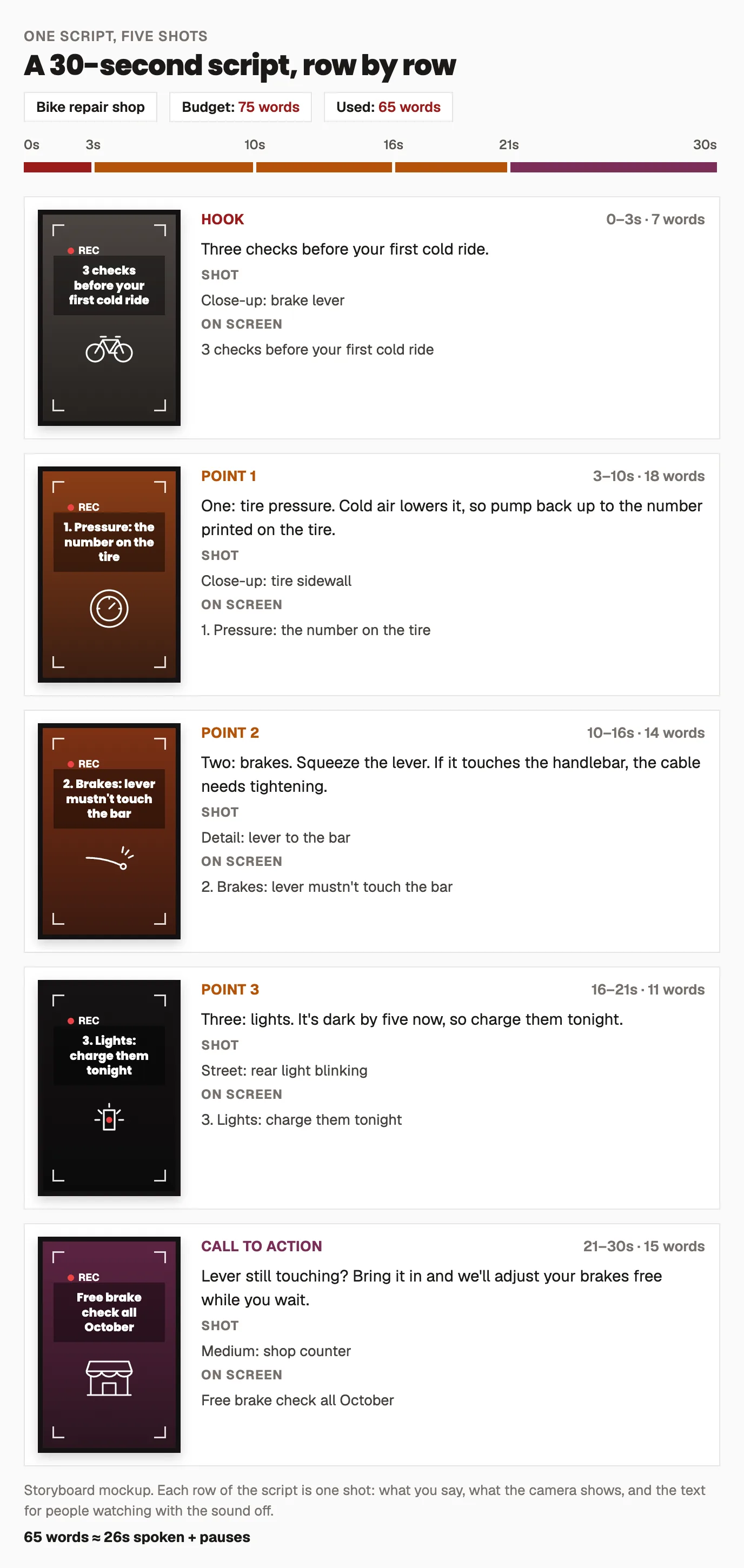
Final count: 65 words against a budget of 75, which leaves room to pause after each number and hold the last frame. Three things to notice:
- The setup row is gone. "Before your first cold ride" already tells the viewer why it matters.
- Each point is one sentence of instruction plus the reason, never the other way round. The viewer can act on it before the reason arrives.
- The call to action comes out of point 2. Anyone whose brake lever just touched the bar has a reason to visit, so the offer reads as help.
Adapting the template to three formats
Talking to camera. Use all three columns as they are. Read the Say column aloud with a timer before filming; if it runs long, cut words rather than speaking faster.
Voiceover over footage. The Say column becomes the narration and the Show column becomes all the footage you need. Record the voice first and cut the pictures to it, which is far easier than the other way round. The voiceover guide covers recording and timing, and the AI voice generator can read your own script if you'd rather not record.
Text on screen only. No voice, so the On-screen text column carries everything and the Say column turns into music or sound cues. People read slower than you speak, so cut the word budget to roughly half and give each card time to be read twice.
Before you film
- Read it aloud with a timer. If it's over, cut a line. Talking faster to fit is the most common reason a short video feels rushed.
- Watch the hook muted. If the on-screen text alone doesn't make you want the next second, rewrite it. The hook tester gives a quick second opinion.
- One idea per script. If a second idea creeps in, move it to its own script.
- Script in batches. Writing four scripts in one sitting is faster than four separate sittings, and the batching guide shows how to plan the shoot around them.
Frequently asked questions
How many words is a 30-second video script?
About 75 words at a normal speaking pace of around 2.5 words a second. Aim slightly under, around 60 to 70, so there's room for pauses, cuts and a final frame. Fast delivery fits a little more; slow, careful explanation fits less.
Do you need a script for a talking-head video?
You need at least the structure: the hook written out word for word, the points in order, and the call to action. Many people speak the middle naturally from bullet points, but an improvised opening almost always starts with a greeting that wastes the first three seconds.
What's the difference between a script and a storyboard?
A script is what's said and shown, row by row. A storyboard is the same plan drawn as a sequence of frames, so you can see each shot before filming. For short-form video, a two-column script with a Show column usually does the job of a storyboard without the drawing.
Should on-screen text match what you say?
It should carry the same meaning in fewer words. The on-screen text should carry the hook and each point in a few words, for people watching muted, while captions handle the full spoken sentences. Repeating every spoken word as large text crowds the frame and is hard to read in time.
Can I use the same script for Reels, TikTok and Shorts?
Yes, for most videos. All three are vertical, short and watched with the sound off often enough that the same hook, points and on-screen text work. Keep text away from the bottom and right edges, where each app puts its own buttons and captions, and adjust the call to action to the platform if it mentions a feature by name.