
20 ChatGPT Image Prompts for Product Photos, One Word Each
November 6, 2026 · 9 min read · by Jan Oršula
The quickest way to get product images out of ChatGPT is one detailed prompt followed by a single word per style. Describe the product once (or upload a photo of it), then send short lines in the same chat: "x-ray this camera", "flat lay of this camera", "movie poster of this camera". The chat remembers the product, so the one word only has to name the look. Below are all 20 words we tested, with the exact picture each one returned, nothing edited or re-rolled.
We ran the whole set on one subject, a vintage film camera, so you can compare the styles side by side. A few of the twenty didn't do what we expected, and those notes are the useful part: they tell you what to add when you run the same prompts on your own product.
The 20 prompts (.md, 2 KB)
The base prompt, all 20 one-word prompts and the fixes from this guide in one file, ready to paste into ChatGPT.
Download the prompts
How the one-word method works
Most prompt lists hand you a paragraph per image: subject, lens, lighting, background, mood. That works, but you rewrite the subject twenty times and it comes out slightly different each time. Splitting the job in two fixes both problems.
- The first message sets the subject. Describe the product the way you want it to look in every picture: what it is, colours, angle, background, light. Or skip the writing and upload a clear photo of your real product.
- Every message after that changes one thing. "x-ray this camera" works because "this camera" points back at the image already in the chat, and "x-ray" names a visual genre ChatGPT has seen countless examples of. You aren't describing an x-ray. You're asking for one.
Stay in the same chat for the whole set. A new chat forgets the subject and you're back to describing it.
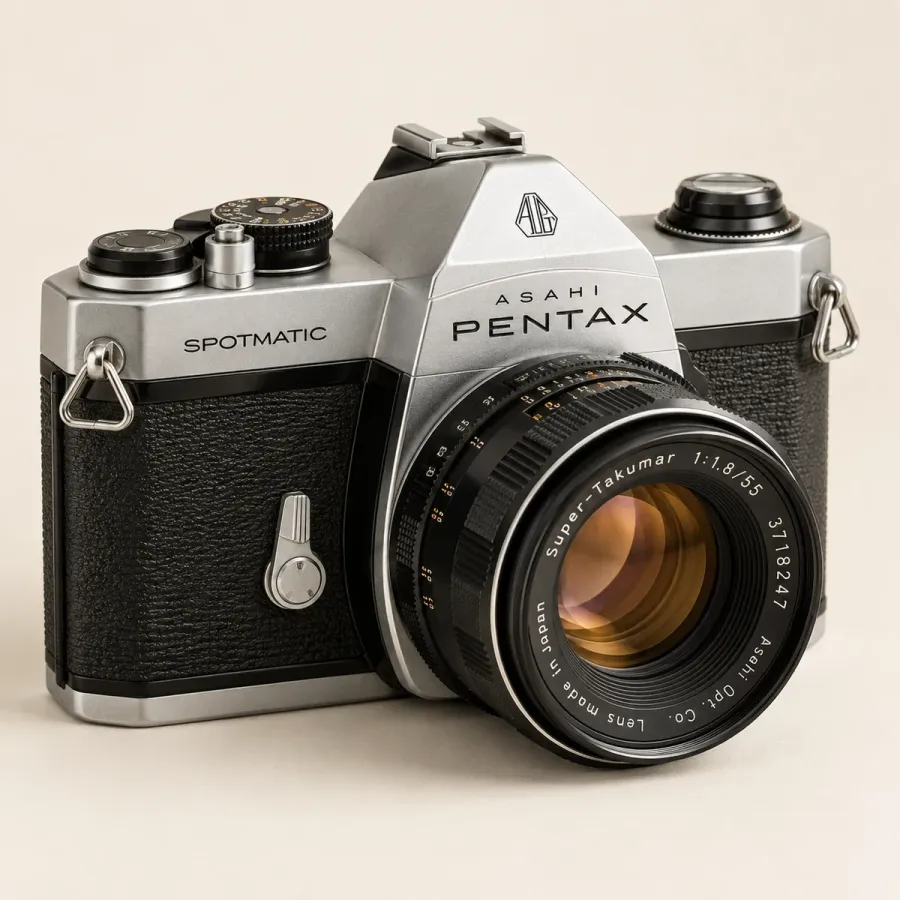
Here's the base prompt we used, and what it returned:
A vintage 1970s 35mm film camera, silver top plate and black leather body, lens attached, three-quarter view, on a plain warm off-white background, soft studio light, square image.
See inside: 5 prompts for how-it-works posts
These five open the product up. They suit any post that explains how something works, what's inside it, or why it costs what it does.
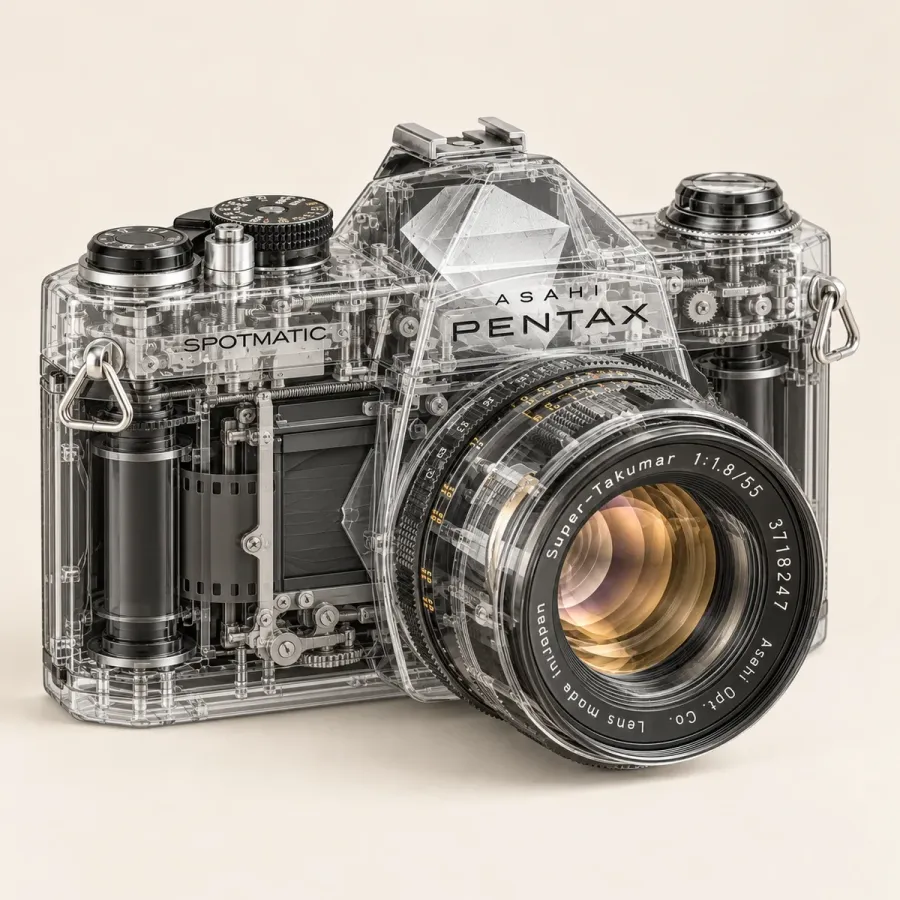
x-ray this cameraThe body turns to clear glass and every part shows through. It kept the exact shape and lettering of the base image, so it reads as the same camera.
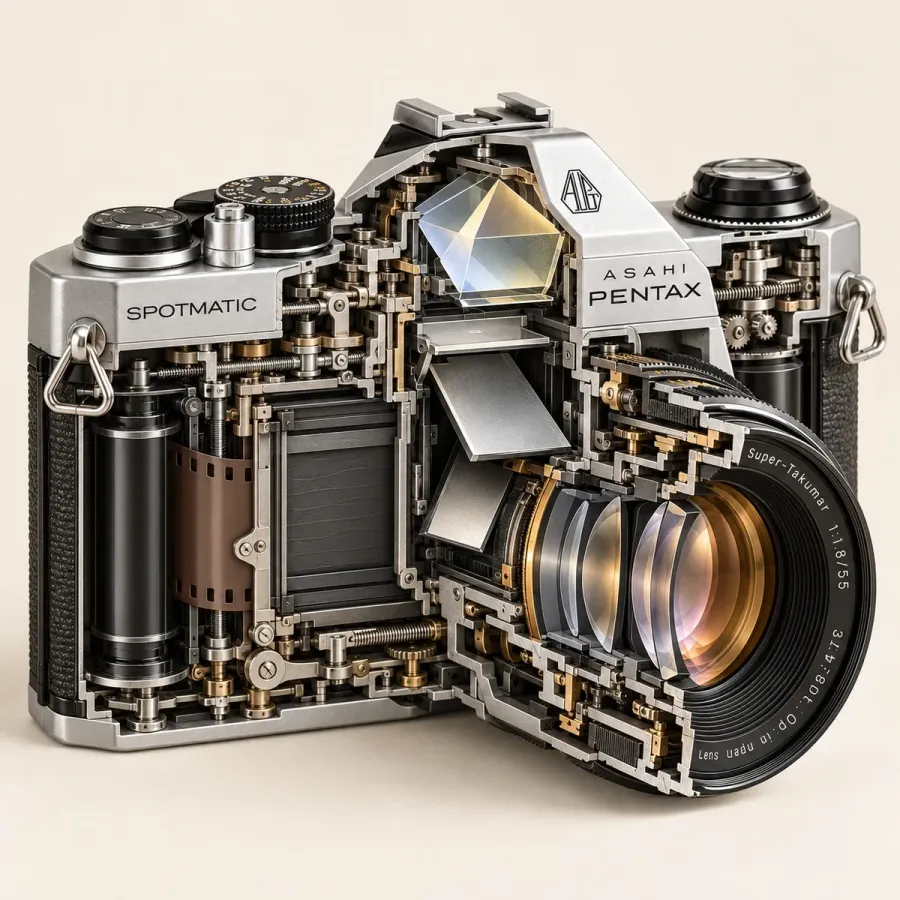
cross-section this cameraSliced open with the inside on show: prism, mirror, film path. Best when the inside is the point of the post.
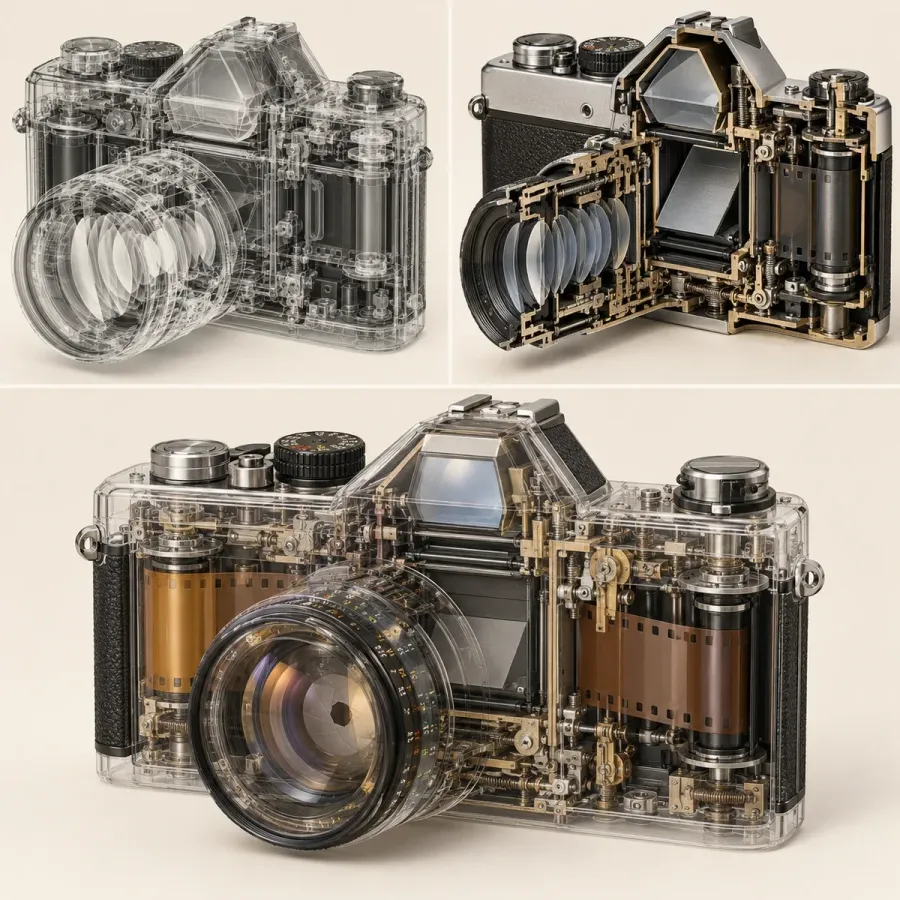
see-through this cameraA miss: it returned three versions in one collage. Add "one single image" if you want one picture.
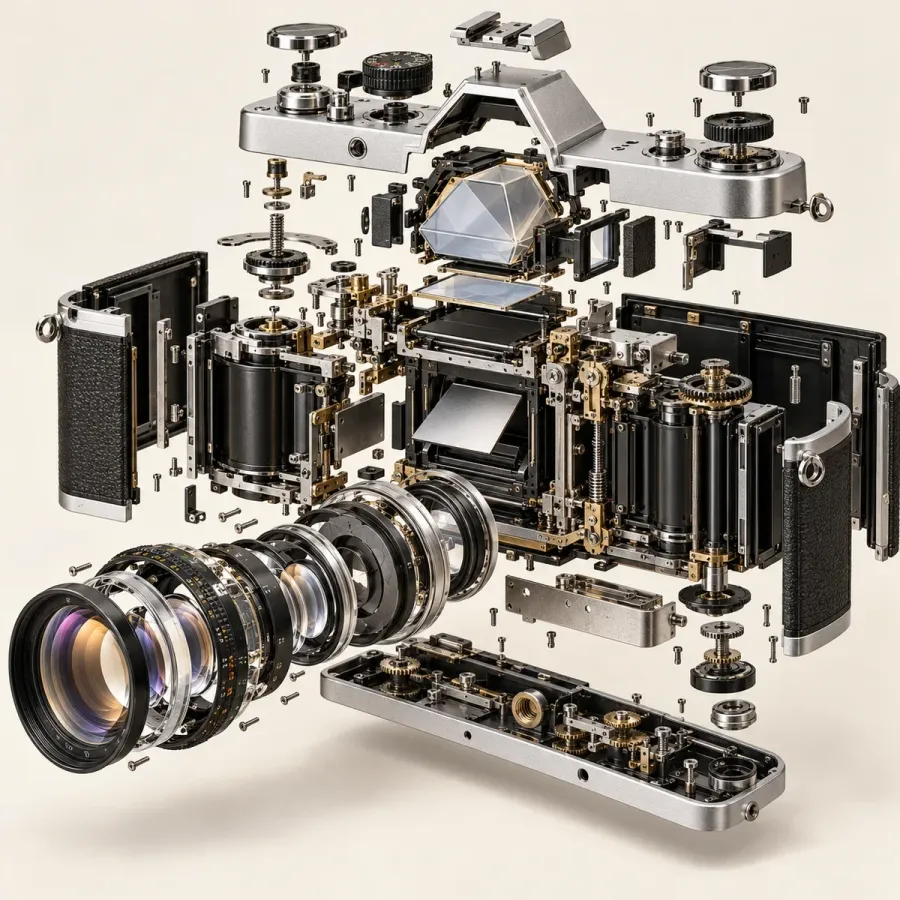
exploded view of this cameraEvery part floats apart, in order. The strongest scroll-stopper of the set, though it gets busy at phone size, so crop in.
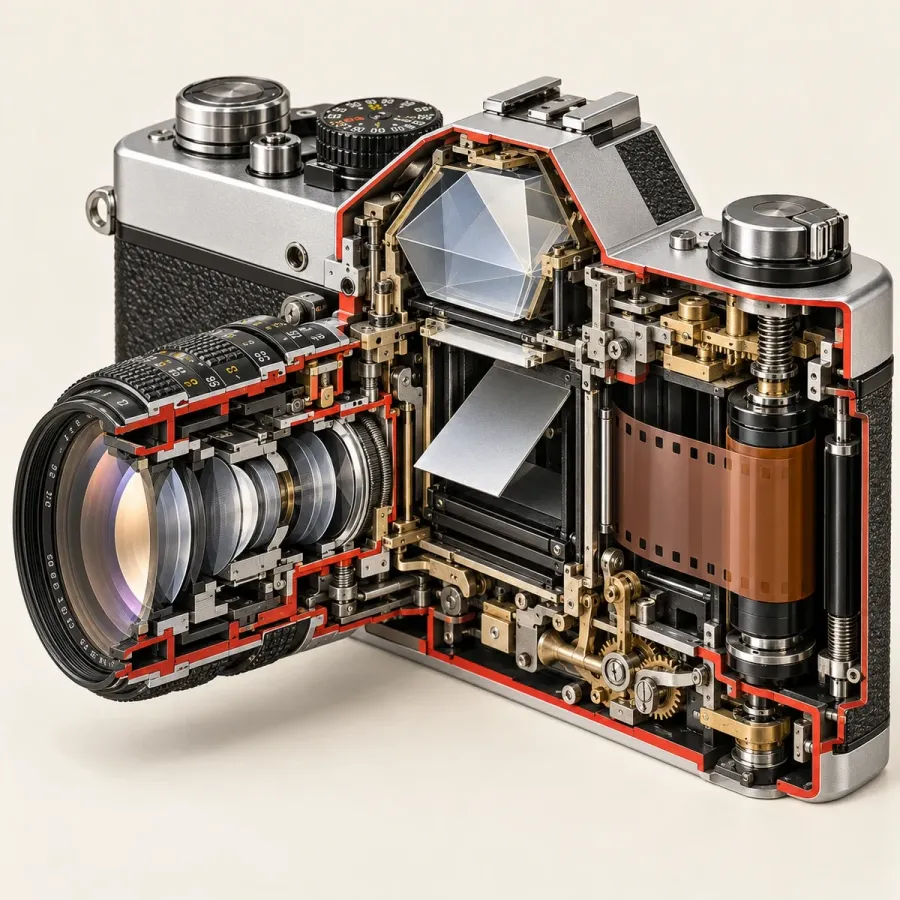
cutaway of this cameraA window cut into one side, edged in red. Unlike the cross-section, the outside stays recognisable.
Draw it: 5 prompts for explainers and diagrams
Line drawings and technical sheets. They work as backgrounds for text, as explainer slides, and anywhere a photo would feel like an ad.
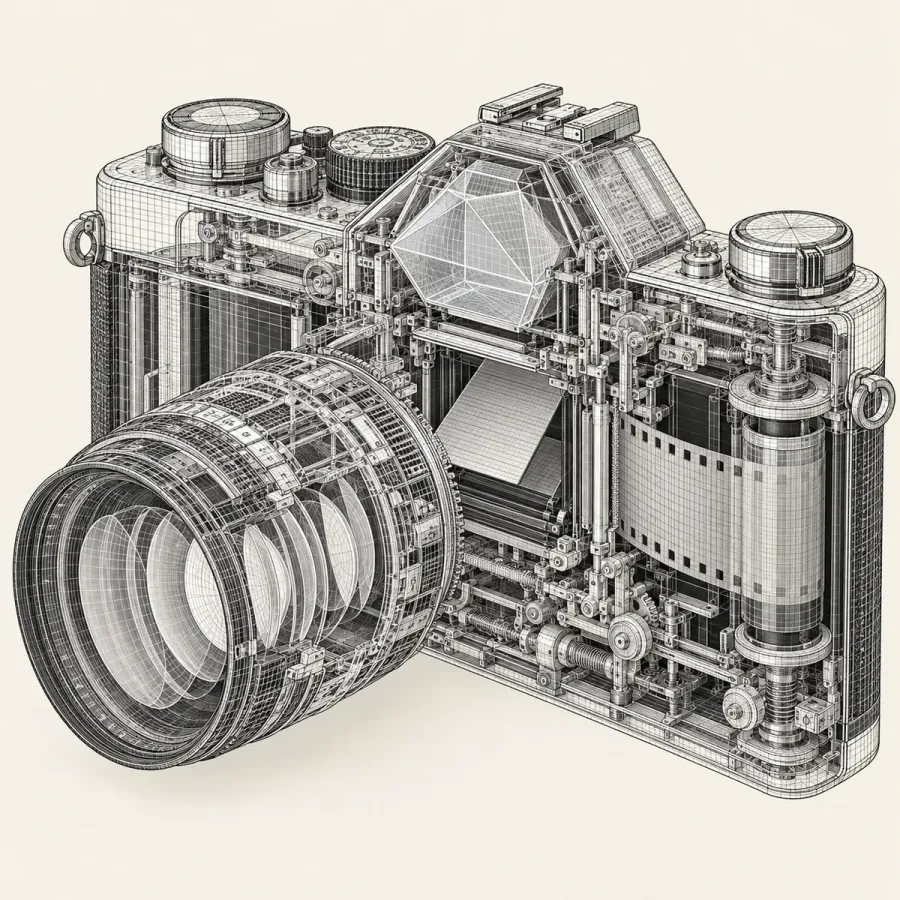
wireframe this cameraA 3D model made of fine lines. Lovely full screen, muddy as a small thumbnail.
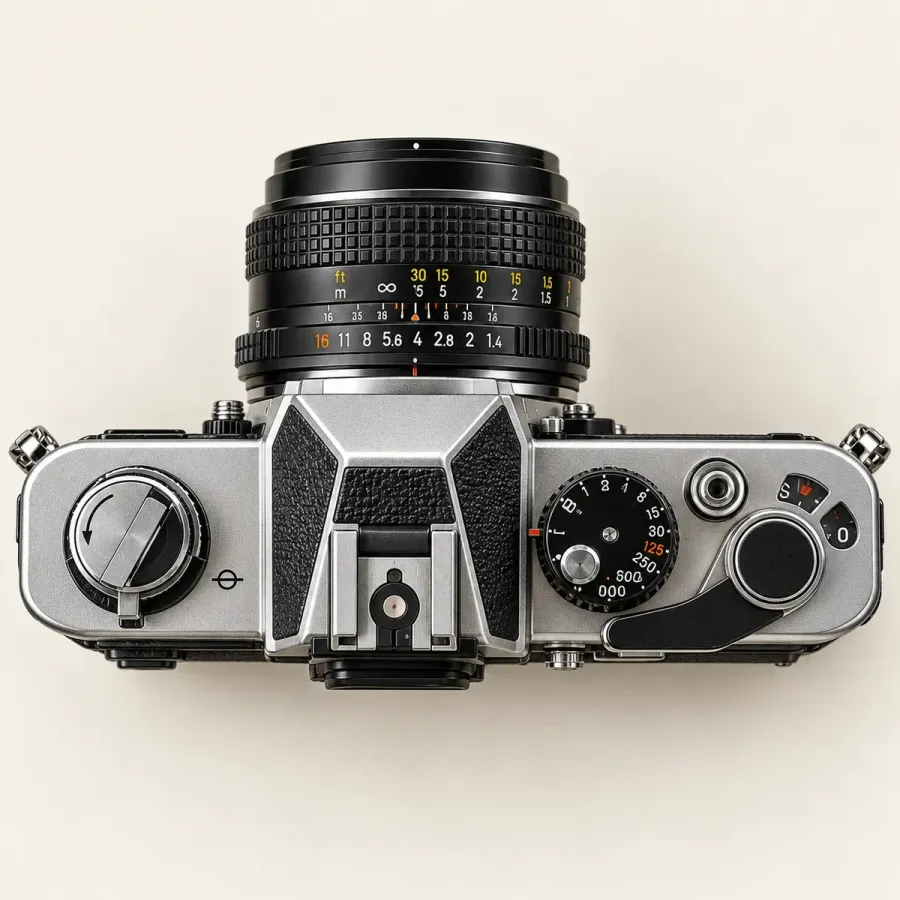
top-down this cameraShot straight down from above. Plain on purpose, and the easiest of the twenty to put a headline next to.
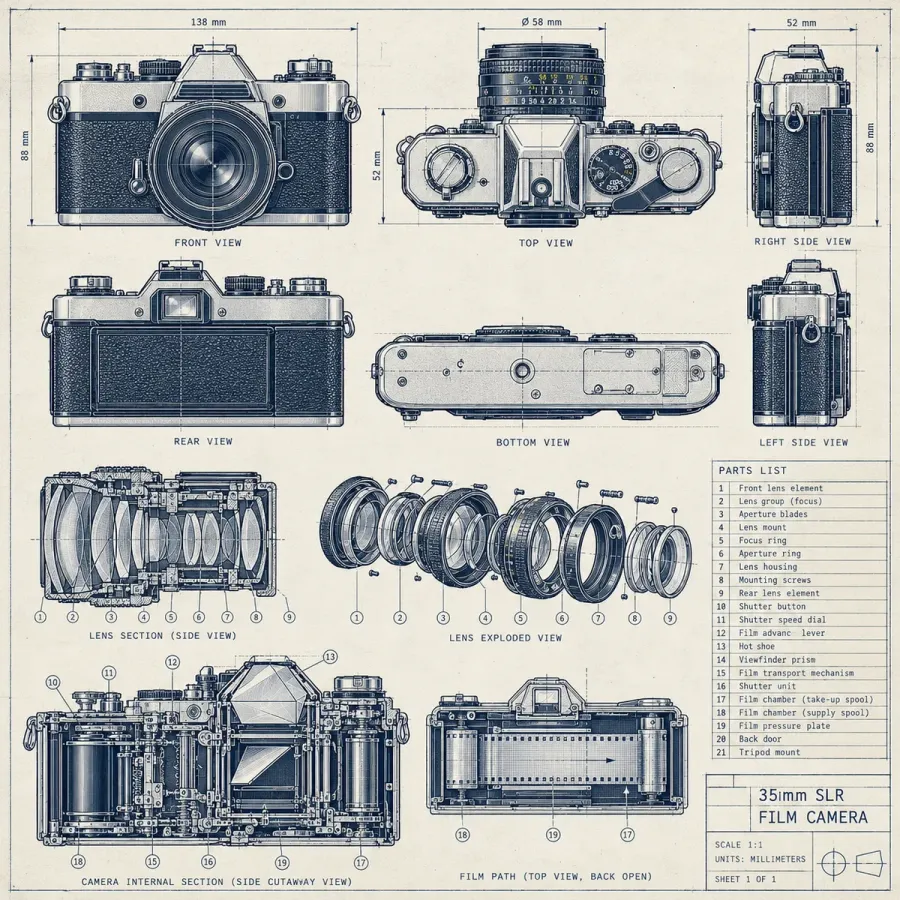
blueprint this cameraNot one drawing but a whole sheet: six views, lens diagrams and a parts list. The small text is generated, so don't let anyone zoom in on it as fact.
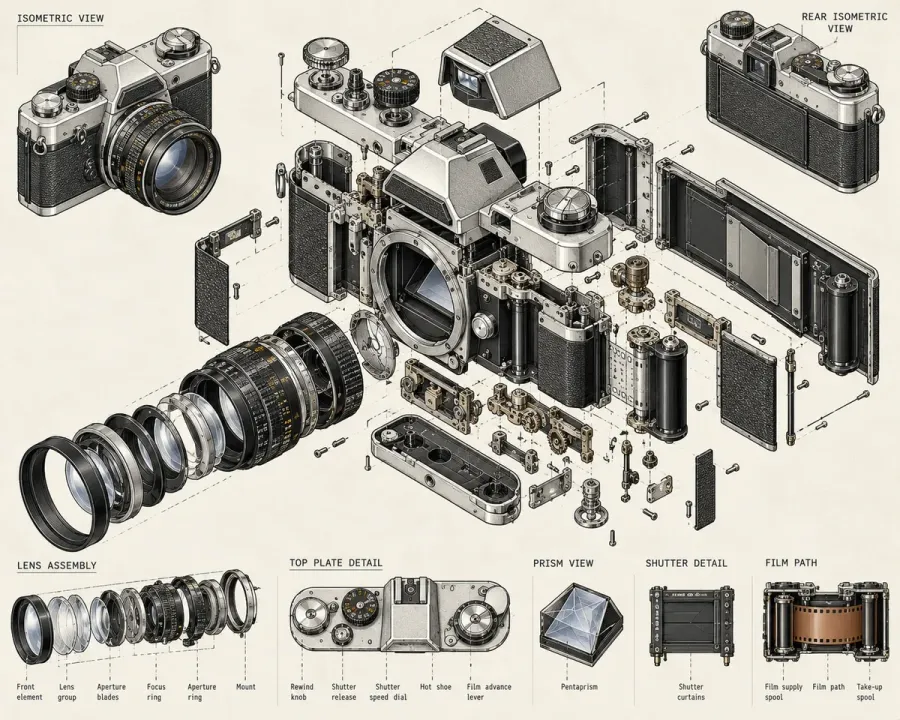
isometric this cameraA partial miss: we expected one isometric view and got an exploded diagram sheet, in a wider shape. Add "single object, square" to keep it simple.
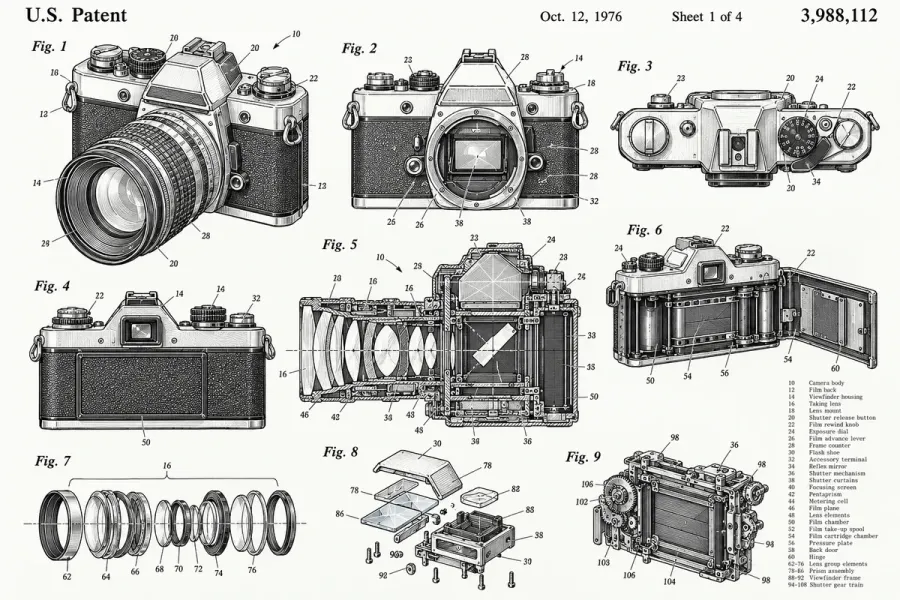
patent drawing of this cameraBlack ink figures with numbered parts, plus a "U.S. Patent" header, date and number that ChatGPT made up. Great look; never post it as a real patent.
Stage it: 5 prompts for product and promo posts
The commercial set. If you sell a physical product, start here.
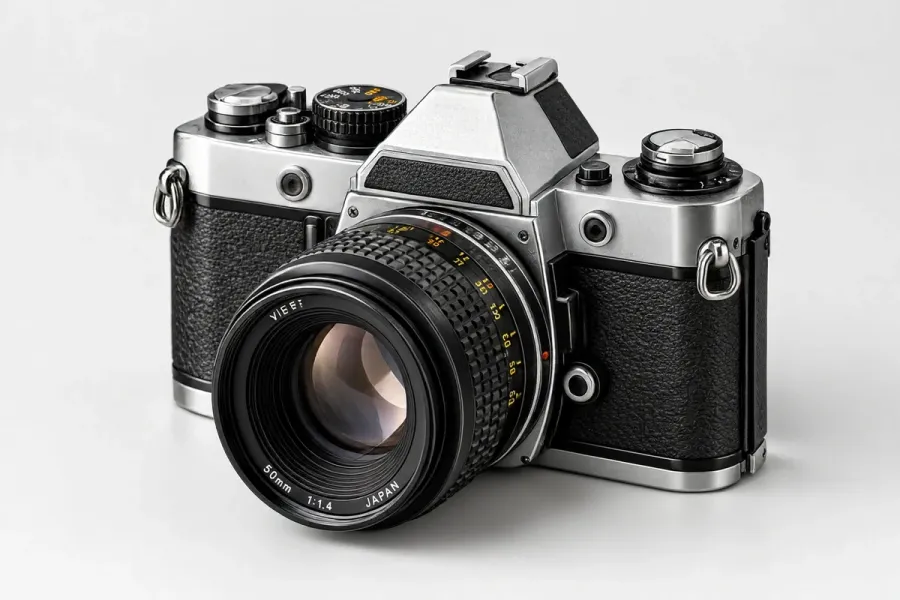
product shot of this cameraA clean studio photo on white. Look closely and the camera has changed: different lens, no Pentax logo. More on that drift below.
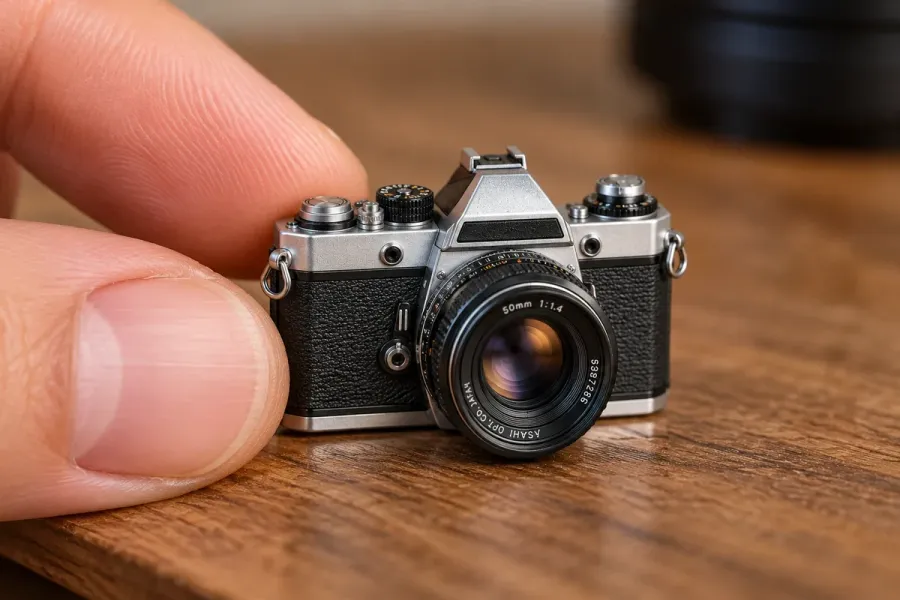
miniature this cameraA tiny collectible version next to a fingertip. The scale trick does the work, so it suits playful launches.
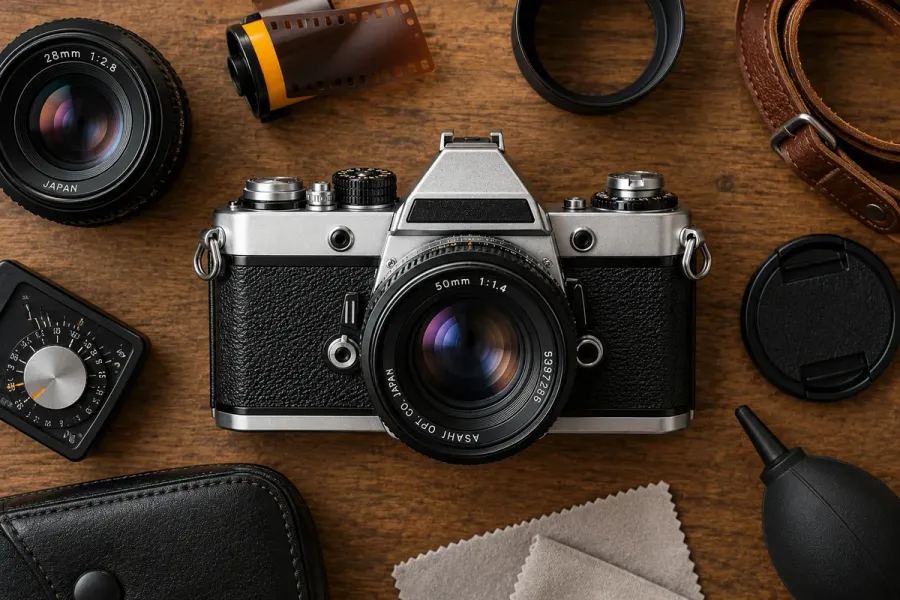
flat lay of this cameraOverhead on dark wood with props it picked itself: film, lens cap, strap, cleaning cloth. The props are what make a flat lay, and it chose sensible ones.
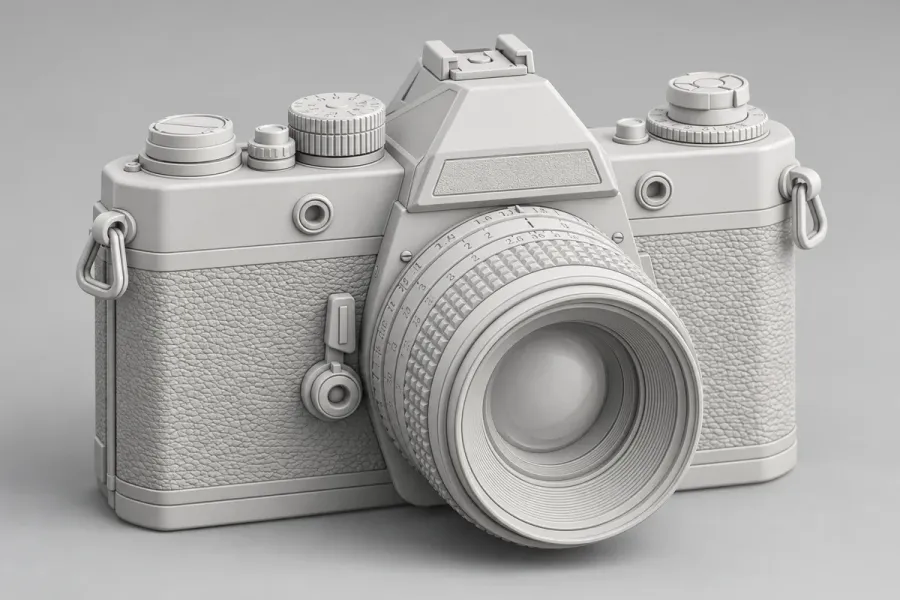
clay this cameraA matte grey clay render. All colour and branding gone, which makes it handy for concept or "coming soon" posts.
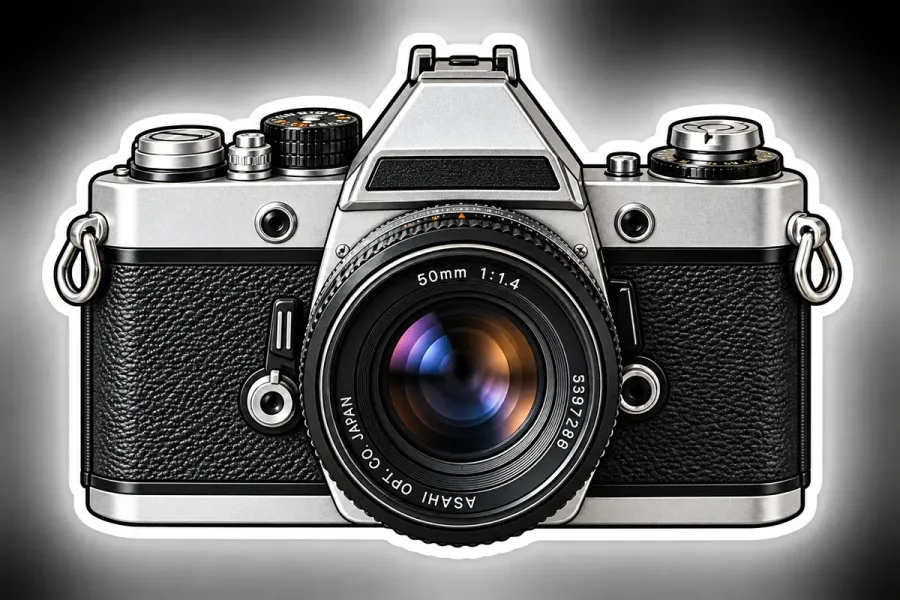
sticker of this cameraDie-cut with a white border. Drop it onto any background in a design app, or use it as a reaction graphic.
Restyle it: 5 prompts that change the genre
These take the product out of product photography entirely. Use them sparingly: one in a carousel stops the scroll, five in a row look like a filter pack.
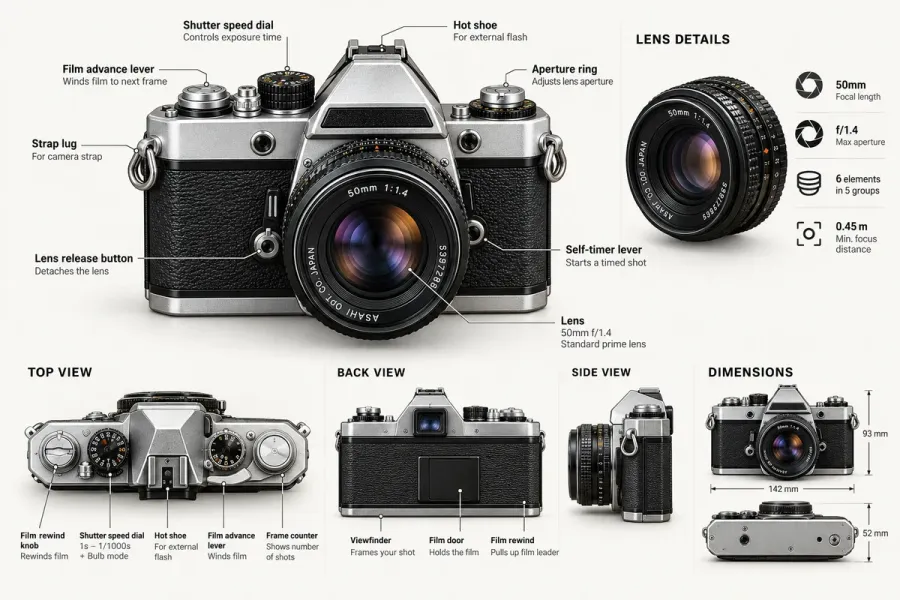
infographic of this cameraLabelled parts, three extra views and dimensions. The labels look right, but every spec was generated. Check each word and number before it goes out.
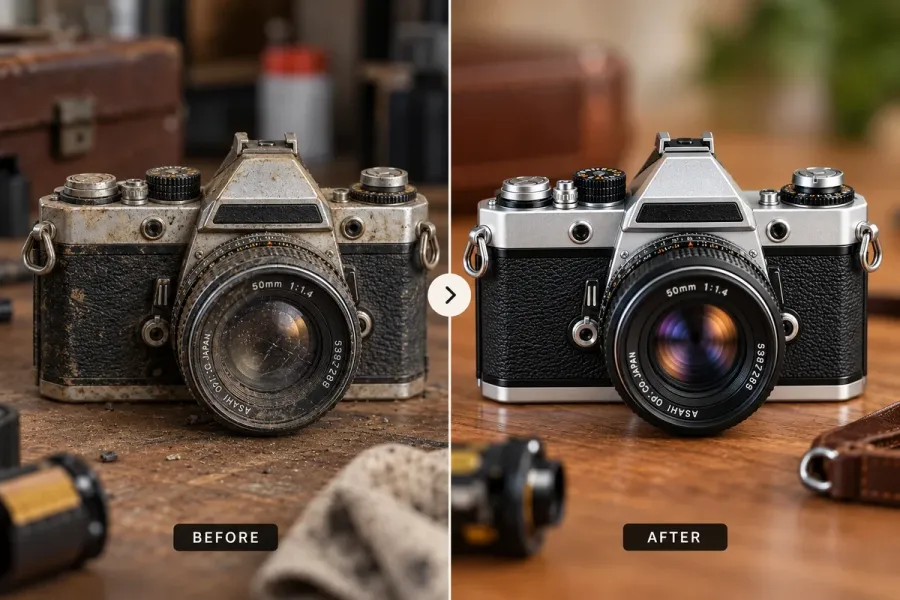
before/after of this cameraIt invented a dusty, worn "before" for a restoration story. Good for cleaning or repair services, as long as you say the before is illustrated.
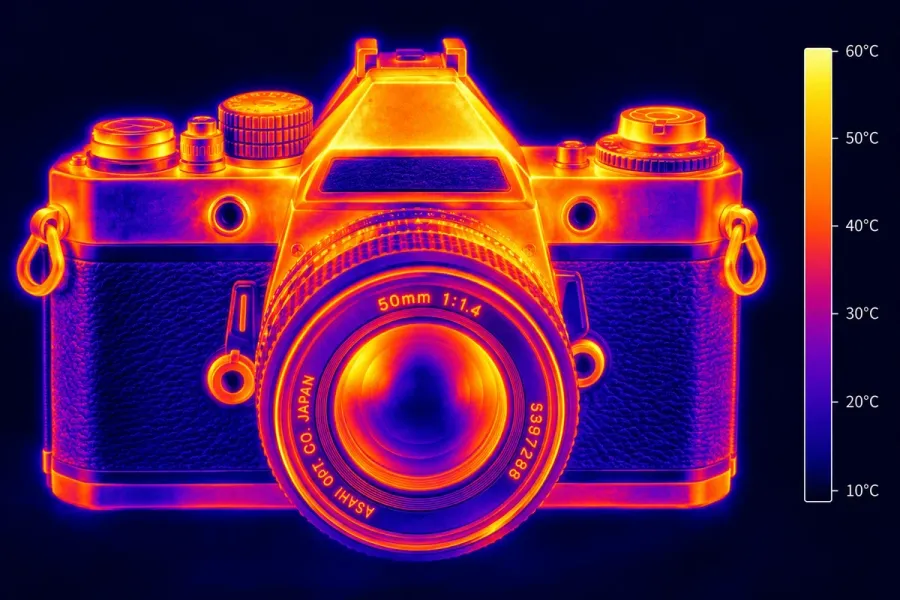
thermal this cameraHeat-camera colours with a temperature scale it made up. Pure mood, and very hard to scroll past.
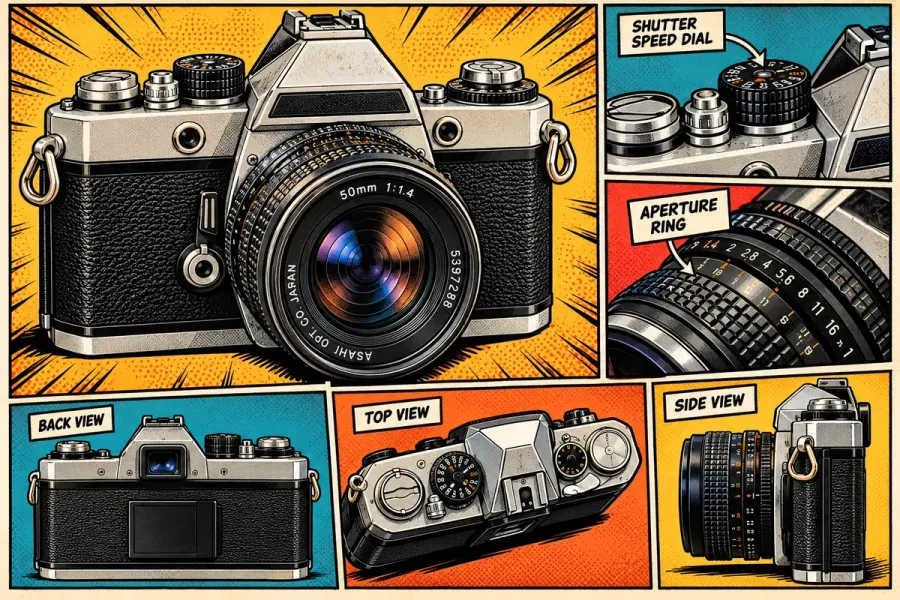
comic of this cameraA whole comic page, with panels for each part. One prompt, a ready-made carousel cover.
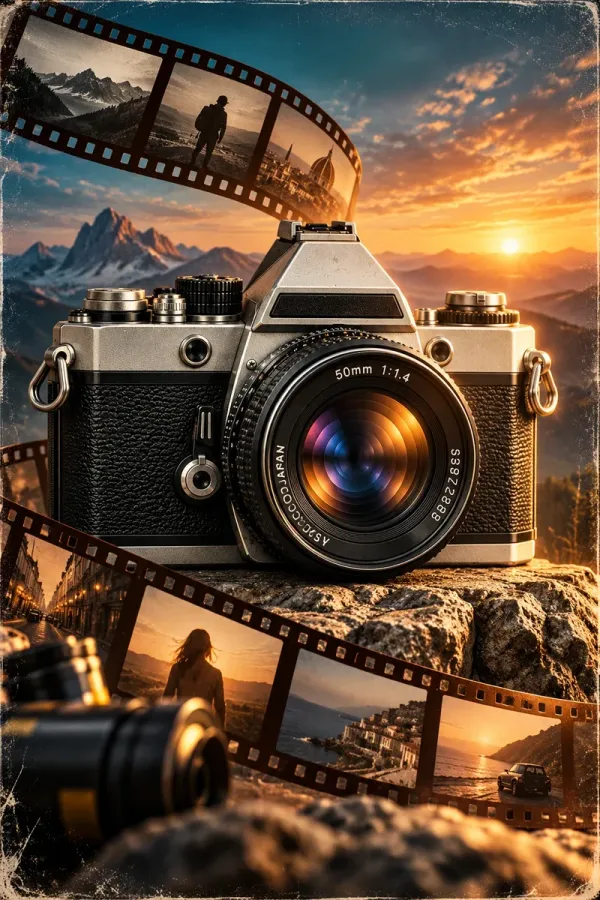
movie poster of this cameraIt switched to portrait on its own: sunset, mountains, curling film. There's no title on it, so add your own text on top.
What went wrong, and how to fix it
Twenty prompts, one chat, and five kinds of problem. Each one has a one-line fix you can add to the prompt.
The product drifts after about ten images
Compare the base image with the product shot. Same idea, different camera: the lens lettering changed, the logo vanished, the dials moved. ChatGPT works from its own latest picture, not the first one, so small changes add up. If your real product has to stay exact, open a new chat every eight to ten images, upload the image you started with, and keep going with the same one-liners. For a real product, upload a photo of the real thing instead of describing it.
It drew a real brand we never asked for
"A vintage 1970s 35mm film camera" came back as an Asahi Pentax Spotmatic, logo and all. That's harmless in a guide like this one, but a real company's logo on your promo post is a problem: OpenAI's Terms of Use hand you the rights to what you generate, not to someone else's trademark. Add "no logos, no brand names" to the base prompt, and look at every image for lettering before you post it.
It made up text that looks like fact
The patent drawing has a patent number. The infographic has specs. The blueprint has a parts list. All generated, all plausible, and some of it wrong. When an image carries text, either check every word or add "no text" and put the words on yourself.
The image shape changed mid-chat
The first nine images were square. Then the isometric sheet came back wider, most of the rest at 3:2, and the movie poster in portrait. A one-word prompt gives ChatGPT room to choose. Add the shape you need to the line: "flat lay of this camera, 4:5 portrait".
One prompt, three pictures
"see-through" returned a collage of three versions. Add "one single image" when that happens.
How to run this on your own product
Swap the camera for whatever you sell or post about. Upload a well-lit photo of the product on a plain background and write: "This is my product. Keep it exactly as it is." Then send the one-liners, changing "this camera" to "this mug", "this bottle", "this app on a phone screen".
Not every word suits every product. A rough guide:
- Physical products with an interesting inside (gadgets, bags, skincare packaging): x-ray, cross-section, exploded view, cutaway.
- Anything you sell online: product shot, flat lay, top-down, sticker.
- Services and software, where there's no object: put the idea in the first message ("a laptop showing a content calendar"), then try blueprint, infographic, comic and before/after.
- Launches and teasers: clay for "coming soon", miniature and movie poster for the reveal.
When one word isn't enough, add one more detail and stop there: "flat lay of this camera, on white marble" or "comic of this camera, black and white". Two or three words in a line still beats rewriting the whole description.
From picture to post
A picture in a chat isn't a post yet. Three steps get it there.
Fit the shape. Instagram's feed shows portrait posts up to 3:4 (1080 × 1440) without cropping, and most of these came back square or 3:2. Ask ChatGPT for the shape up front, or crop afterwards with the free social media image resizer. The image size guide has the ratio for every network.
Write the caption and the alt text. The words do the selling: a comic-panel camera earns its place when the caption explains how a film camera works, and says little under "new drop". While you're there, describe the image for screen readers; the alt text generator drafts one from the picture.
Schedule it from the same chat. ChatGPT can also put the post in your queue. Kadenzo is a scheduler with a plugin in ChatGPT's Plugin directory: once it's connected, you can say "schedule this as an Instagram post for Thursday at 9 am" in the chat that made the image, check the draft, and confirm. It posts to 11 networks and comes with the Professional plan at $29 a month. The setup takes a few minutes and is in our guide to scheduling social media posts from ChatGPT. One detail to know: images you attach in the chat don't reach plugins, so the guide shows how to give it a public link to the file.
On labels: Meta asks you to disclose photorealistic AI video and audio, and may add an "AI info" label to images it detects as AI-made. For a flat lay or a product shot that people could take for a real photo, saying so in the caption costs nothing and saves the comments section.
Frequently asked questions
Do these prompts work in the free version of ChatGPT?
Yes. Image generation is available on the free plan with a lower daily limit, and the prompts are the same on every plan. On the free plan you may hit the limit before you finish all twenty, so pick the five words that suit your product first.
Why use one word instead of a detailed prompt?
Because the detail is already in the chat. Your first message (or photo) describes the product once; after that, a word like "blueprint" or "flat lay" names a style ChatGPT already knows. You rewrite less, and the product stays closer to the same across the set.
How do I keep my product looking the same in every image?
Start from a photo of the real product rather than a description, say "keep it exactly as it is", and stay in one chat. When the details start to slip, usually after eight to ten images, open a new chat, upload the original photo again and carry on.
Can I use ChatGPT images in ads and posts for my business?
OpenAI's terms assign you its rights in what you generate, so commercial use is allowed as long as you follow its usage policies. Two cautions: AI images may not get copyright protection, and if a picture shows someone else's logo or a real product you don't sell, leave it out.
Which of the 20 styles work best on Instagram?
For a carousel cover, the ones with something to discover: exploded view, x-ray, comic and thermal. For a shop feed, product shot, flat lay and top-down. In our set the line drawings (wireframe, blueprint) looked best full screen and lost detail as small grid thumbnails.