
How to Format Social Media Text (Bold, Italics, Spacing)
June 25, 2026 · 7 min read · by Jan Oršula
Formatting social media text comes down to three levers: emphasis, the bold and italic that platforms don't really support; spacing, the line breaks they like to strip; and restraint, knowing when to use neither. The catch under all of it is that post and bio fields store plain text, so every "bold" word and every surviving blank line is a Unicode workaround, not real formatting. That makes these tricks genuinely useful and quietly risky. This guide covers how each one works, what it costs (including an accessibility hit most how-tos skip), and when it's worth using.
Formatting is borrowed, and that changes the rules
A document editor stores your text and a layer of formatting instructions: this word is bold, this one italic. Social post fields don't have that second layer. They hold characters, full stop. So there's no "bold" switch to flip, which is why both of the common formatting moves are sleight of hand.
Emphasis works by swapping ordinary letters for look-alike characters from Unicode's Mathematical Alphanumeric Symbols block, a separate set of glyphs that happen to look bold or italic. Spacing works by putting an invisible character on lines that would otherwise read as empty, so the platform keeps them. Both survive copy-paste precisely because, to the platform, they're just plain characters. Useful, but because you're smuggling appearance through a text-only field, the same trick carries costs that real formatting wouldn't.
How to make text bold or italic
To bold or italicize a word, you don't change a setting. You replace the letters with their styled Unicode twins and paste the result. Our bold & italic text generator does the swap and gives you six copy-ready looks (bold, italic, bold-italic, serif bold, serif italic, monospace).
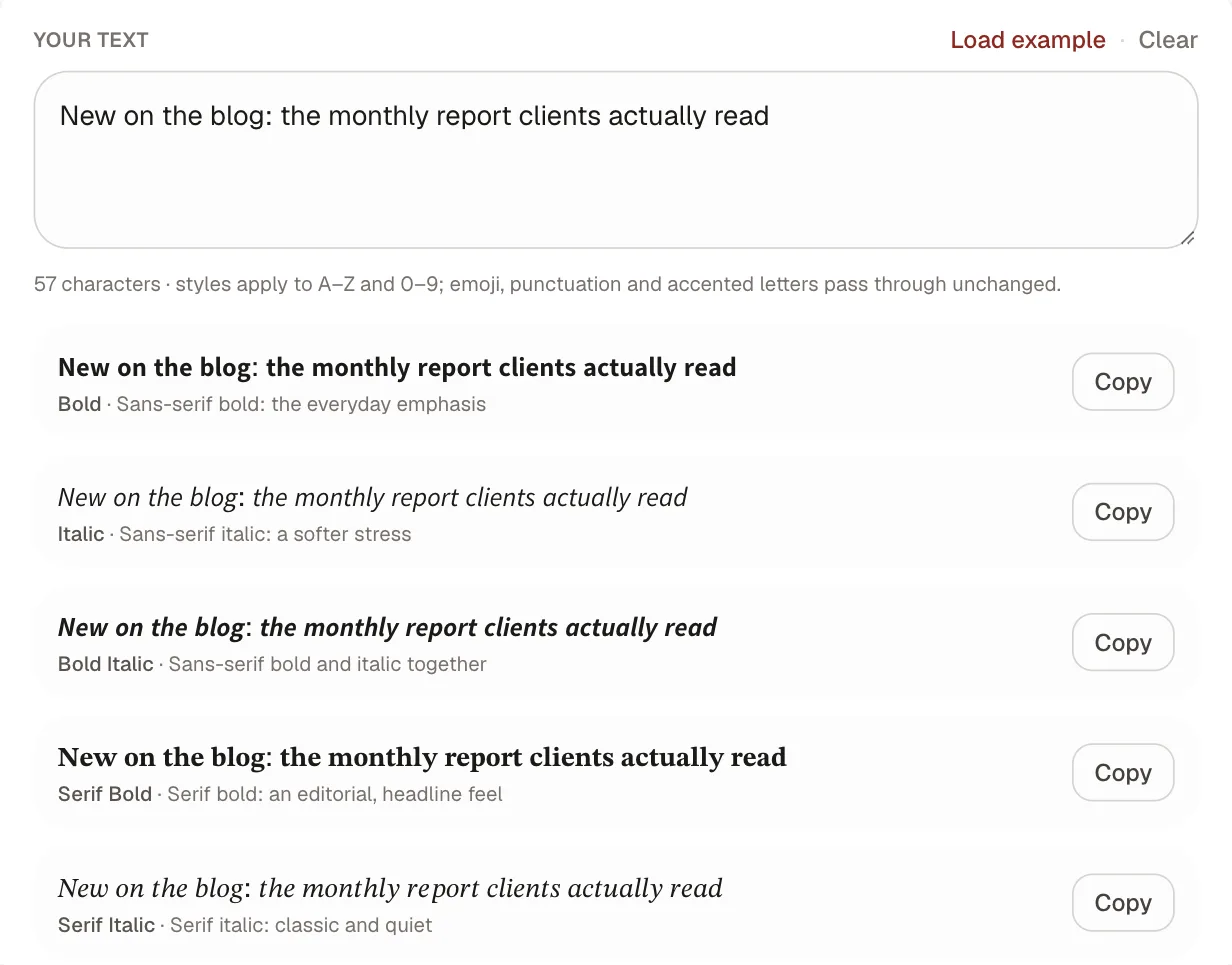
Three things to know before you use it. It works in posts and bios, but not
in hashtags. A styled # isn't the same character as a real one, so the tag
won't be clickable or grouped. It renders on essentially every modern device,
degrading to a missing-character box only on ancient ones. And it's for a few
words, never a sentence: the value of emphasis is that it's rare, so one bold
phrase marking the single takeaway beats a caption shouting in bold from top to
bottom.
How to add line breaks and spacing
The opposite problem: you want the blank lines and the platform deletes them. Instagram and TikTok collapse the empty lines you type, so a carefully spaced caption publishes as a wall. The fix is to make each blank line technically non-empty with one invisible character, which our line break generator does in a paste-and-copy pass.
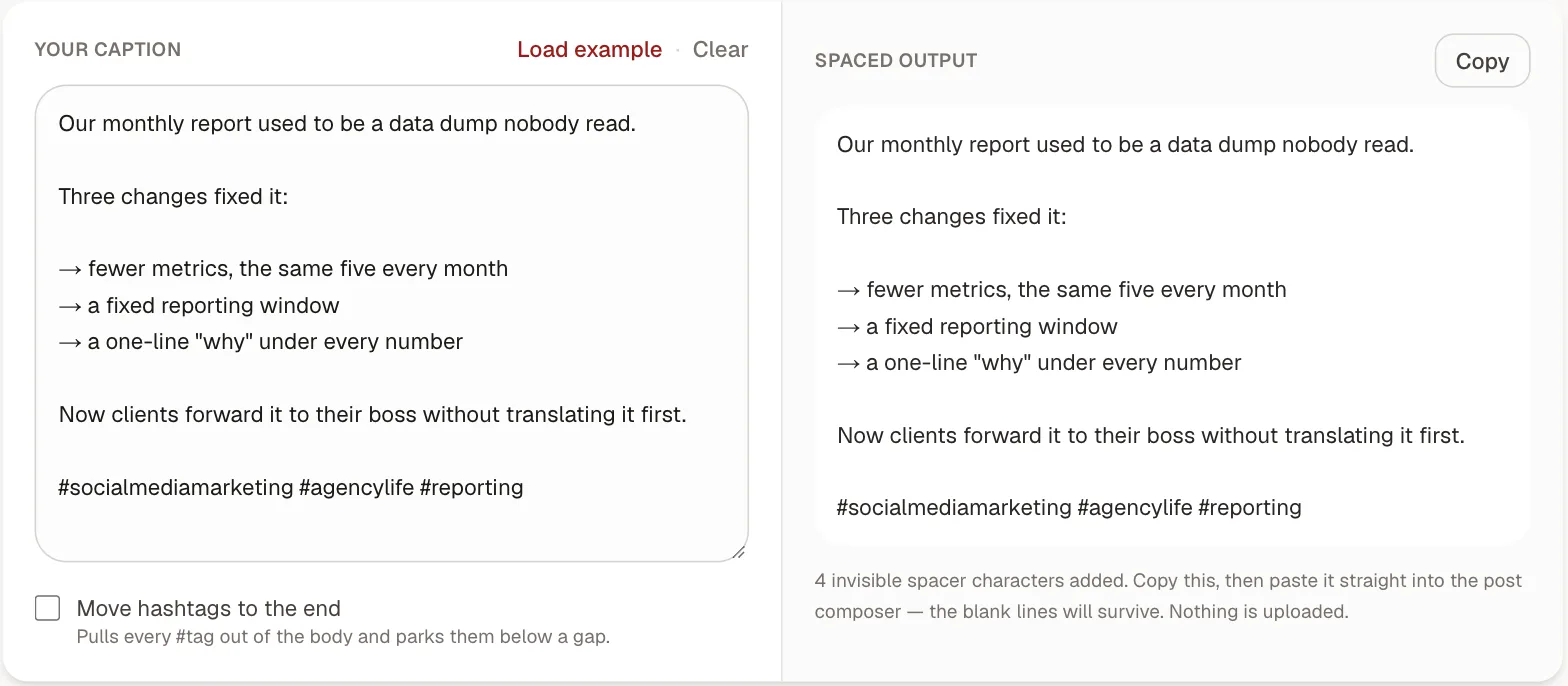
The workflow detail that trips people up is order: space your caption, copy it, paste it into the composer, and publish without editing inside the app, since editing can re-trigger the stripping you just worked around. White space is the one formatting tool every platform actually respects, so spend it on purpose: a break after the hook to earn the tap on "more," short paragraphs that survive a phone screen, a gap before the call to action.
The accessibility cost nobody mentions
Here's the part most formatting guides leave out. Styled Unicode letters are a real accessibility problem. Screen readers often read them wrong or skip them entirely. A profile name in fancy bold can be announced as nothing at all, and a bold CTA can vanish for the follower who most needs to hear it. The same characters aren't indexed as their plain equivalents either, so styling a keyword can quietly hide it from in-app search.
The invisible spacing character is gentler, since most screen readers treat it as a pause or ignore it, but the principle is the same for both tricks: never let formatting carry meaning a plain-text reader needs. Decoration, fine. Information, never. If your post stops making sense when every styled character is read as gibberish or silence, you've over-formatted. Used this way, formatting is an accessibility footnote; used to carry the message, it's a barrier. And formatting is only one piece of it: alt text, captions, and hashtag casing matter just as much, and our social media accessibility guide walks the full per-post checklist.
Do formatted characters count toward the limit?
Yes, and sometimes double. Each styled letter is still one character, but on weighted platforms it can cost more: X counts most of these glyphs as two, so a bolded post eats its 280 roughly twice as fast. Spacing adds up too, since every preserved blank line is an invisible character plus its line break. None of it matters on a generous field like Instagram's 2,200, but on a tight one it does. Paste the formatted version into our character counter to see the real total against each platform's limit and fold before you publish.
When to format and when to stop
A short rule set that keeps formatting an asset:
- Emphasize one idea, not many. One bold phrase per post; if everything's bold, nothing is.
- Space for readability, not decoration. Breaks that help the eye, not blank lines for their own sake.
- Never style the load-bearing parts. Keep CTAs, links, and hashtags as plain text so they stay clickable, searchable, and readable.
- Test on a phone. Most of your audience is mobile; what looks balanced on a laptop can read as cluttered on a screen a third the width.
Get those right and formatting does quiet, real work: marking the one line that matters and giving the words room to breathe. Reach for the bold & italic generator for emphasis and the line break generator for spacing, and let the restraint do the rest.